Android
Get early access to Guard on Google Play. It takes 3 steps, with a 1–2 minute wait between each one while Google activates your access.
- Join the Early Access group (required). Without this step, Google Play won’t let you install the app. Tap the button, then Join group, then Join group again in the popup. When you see the message that you joined the group, come back here with Back ◀. Step 1 · Join the group ↗
- Activate your access on Google Play. Tap the button, then Become a tester. That’s Google’s name for early access. Then come back here with Back ◀.
Step 2 · Activate on Google Play ↗
👤 Use the same Google account to join the group and in Play Store.
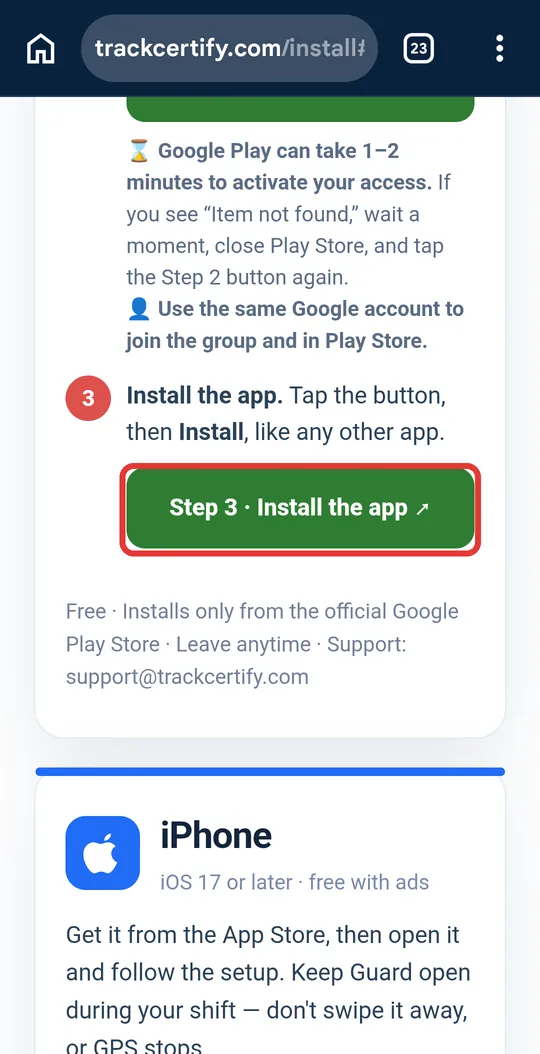
If Google still says the page isn’t available, wait 1 more minute and tap the button again. - Install the app. Tap the button, then Install, like any other app. Step 3 · Install the app ↗ If you see “Item not found,” wait 1 more minute, close Play Store, and tap the button again.
Free · Installs only from the official Google Play Store · Leave anytime · Support: support@trackcertify.com
iPhone
Get it from the App Store, then open it and follow the setup. Keep Guard open during your shift — don't swipe it away, or GPS stops.
 🍎 Coming soon to iPhone
Step-by-step guide · Android
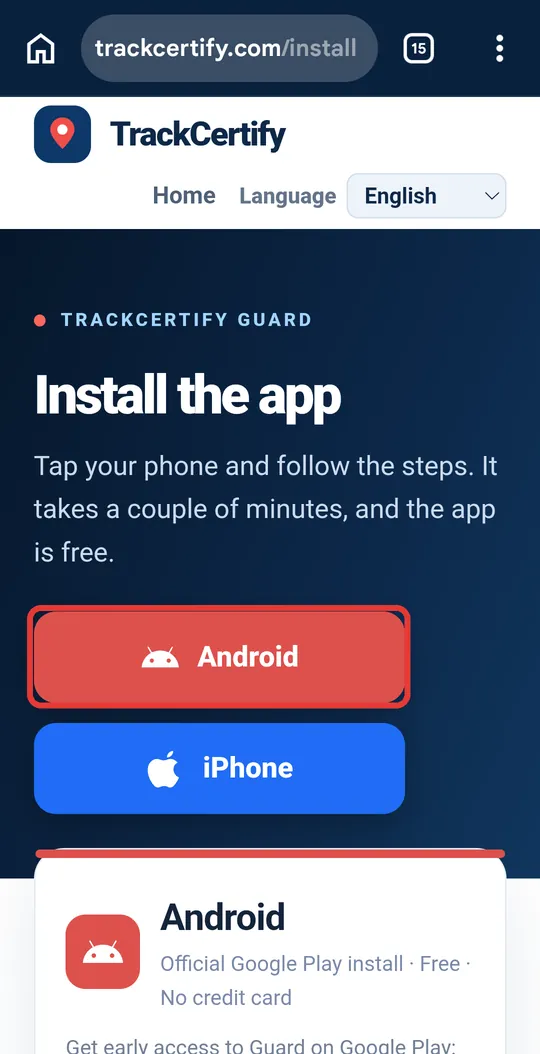
![Install page with the red Android button highlighted]()
Open the install page
On trackcertify.com/install, tap the red Android button. The page scrolls down to the Android steps.
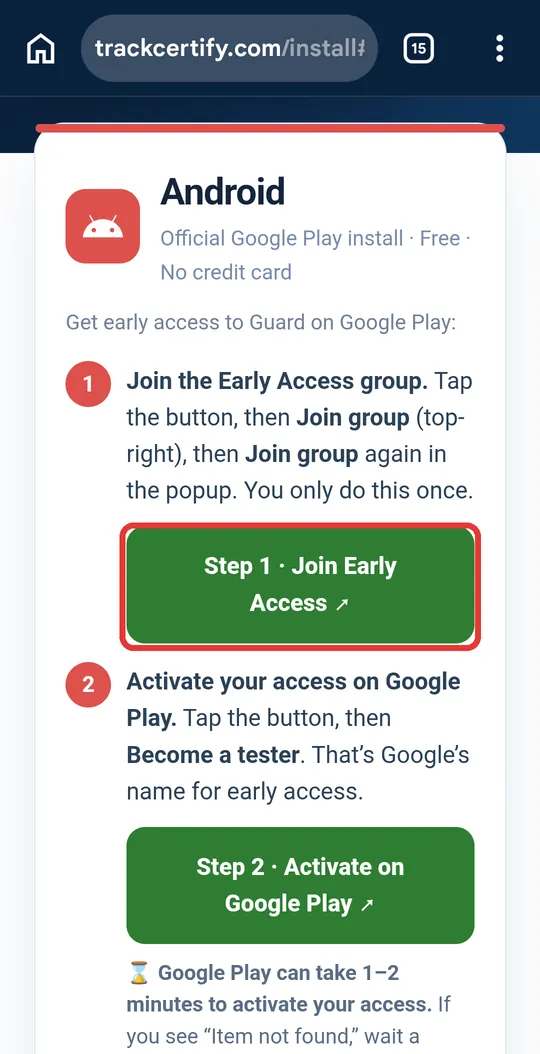
![Green Step 1 button highlighted]()
Step 1: join the group
Tap the green Step 1 · Join Early Access button. Google's group page opens.
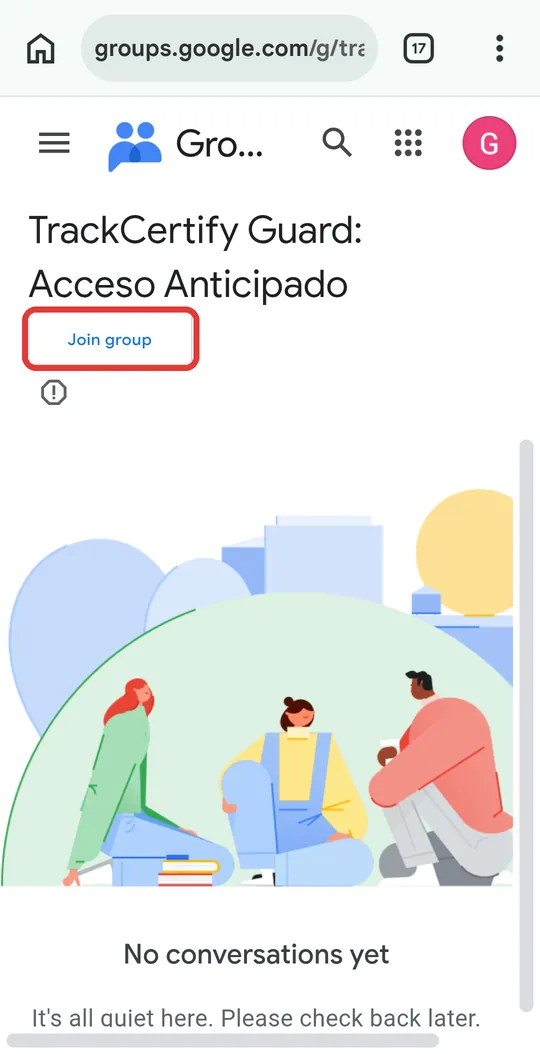
![Google Groups page with the Join group button highlighted]()
Tap «Join group»
You're on our group's page — its name is in Spanish: TrackCertify Guard: Acceso Anticipado (Early Access). Tap Join group.
If it asks you to sign in, use your Google account: the same one you use in Play Store.
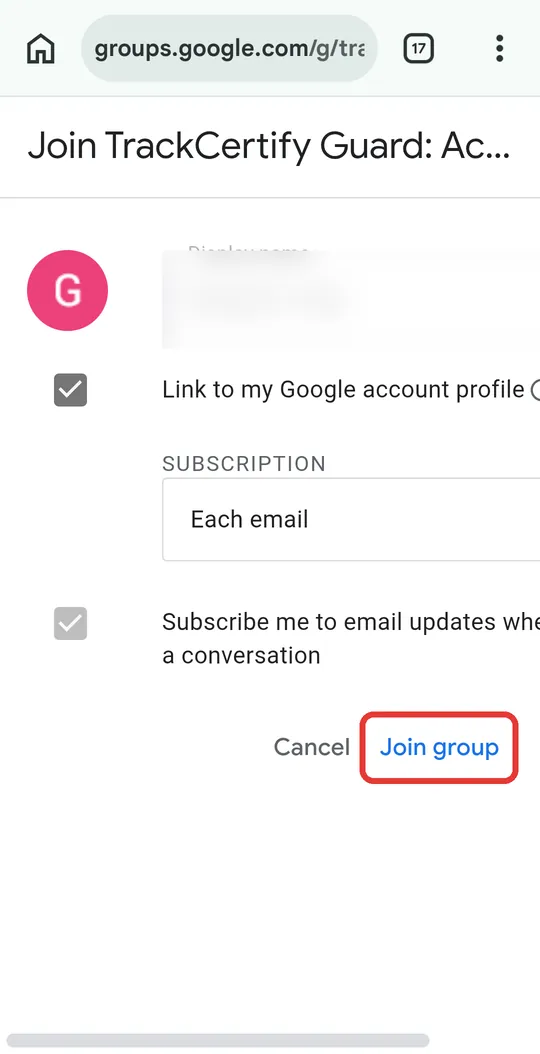
![Confirmation window with the Join group button highlighted]()
Confirm
A window opens with your name. Tap Join group again.
If the top says «Undefined parameter», don't worry: it's a Google glitch in that window. Tap Join group anyway. The group is only used to give you access to the app.
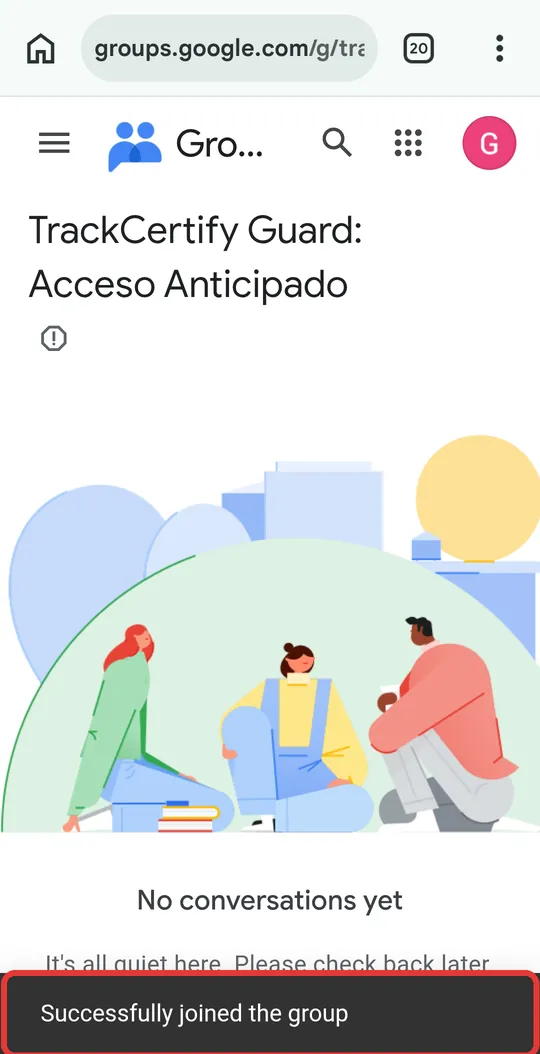
![Message confirming you joined the group]()
Step 1 done!
A message at the bottom confirms you joined the group. Go back to the TrackCertify page with your phone's Back ◀ button.
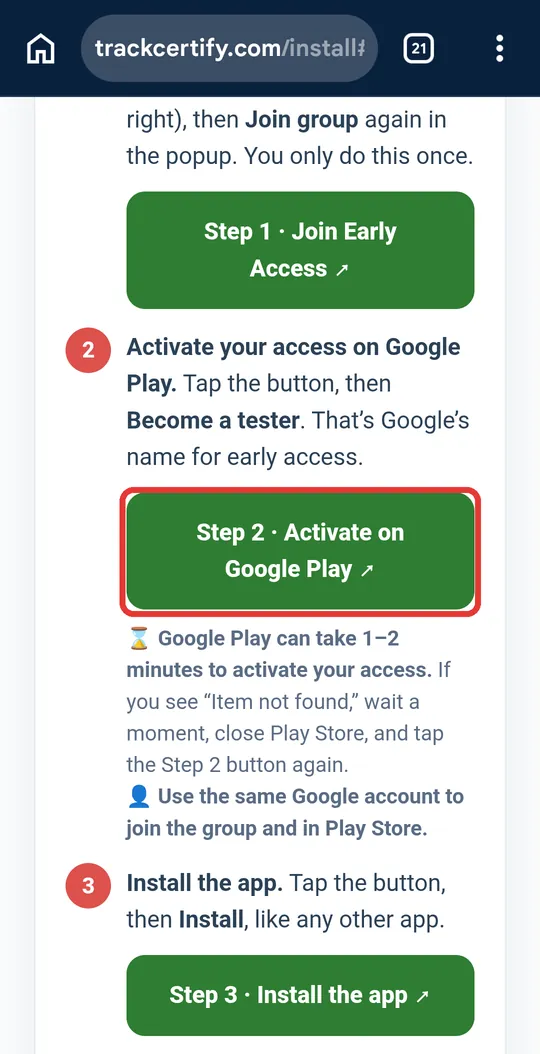
![Green Step 2 button highlighted]()
Step 2: activate your access
Tap the green Step 2 · Activate on Google Play button.
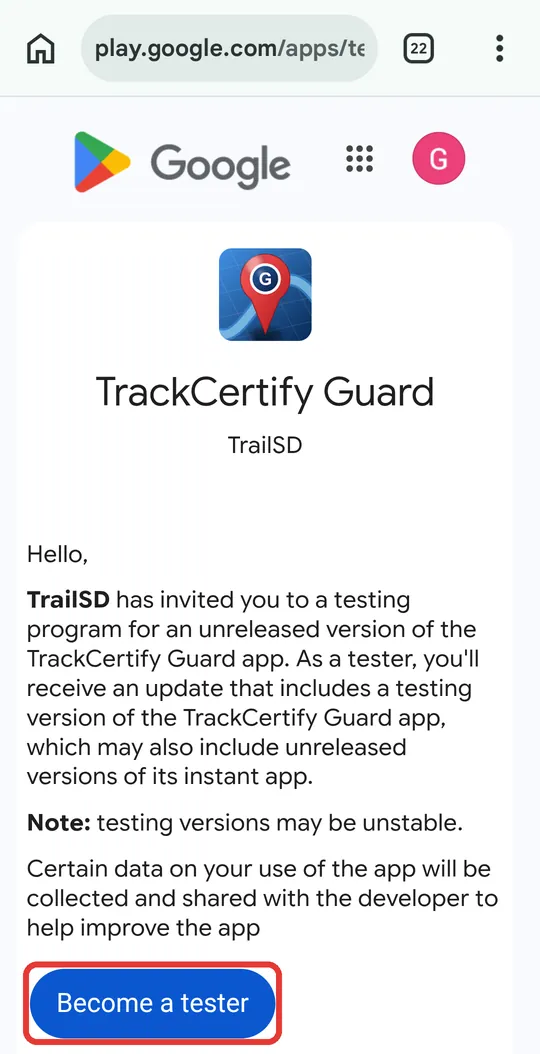
![Google Play page with the Become a tester button highlighted]()
Tap «Become a tester»
Tap the blue Become a tester button: that's what Google calls early access. It's free and you can leave anytime.
👤 If you don't see the button, make sure it's the same Google account you joined the group with (the circle at the top right).
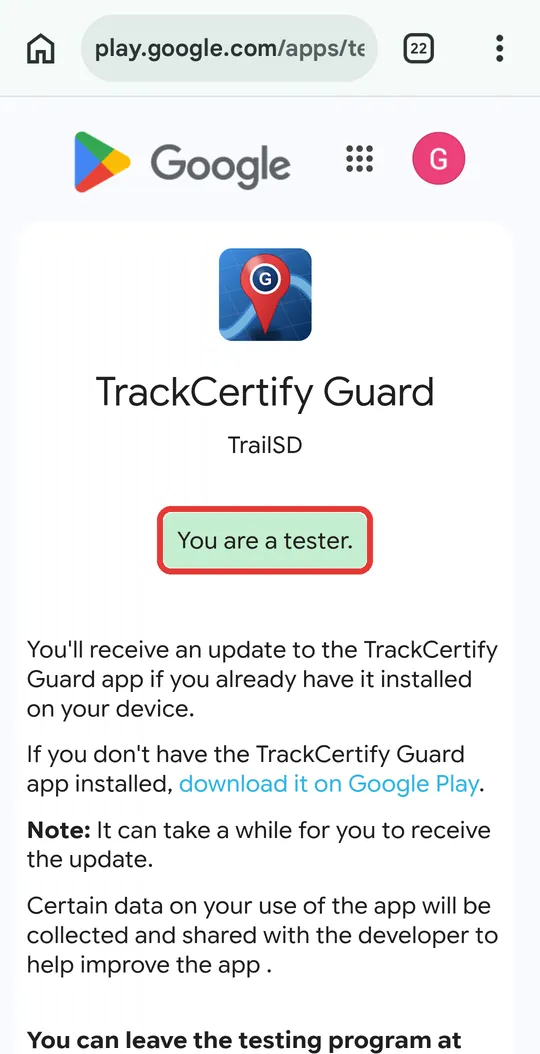
![Message You are a tester]()
Access activated
You'll see You are a tester. — your access is on. Go back to the TrackCertify page with Back ◀.
⌛ Google can take 1–2 minutes to activate your access. If the next step shows «Item not found», that's normal: wait a moment, close Play Store and try again.
![Green Step 3 button highlighted]()
Step 3: install the app
Tap the green Step 3 · Install the app button. Play Store opens.
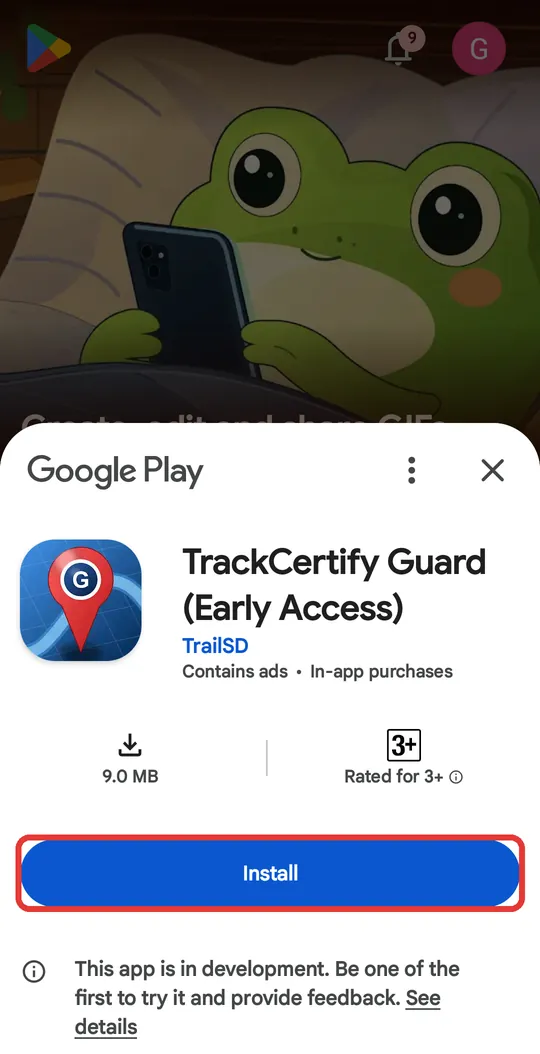
![Play Store with the Install button highlighted]()
Tap «Install»
Play Store shows TrackCertify Guard (early access). Tap Install and wait for it to finish (about 9 MB).
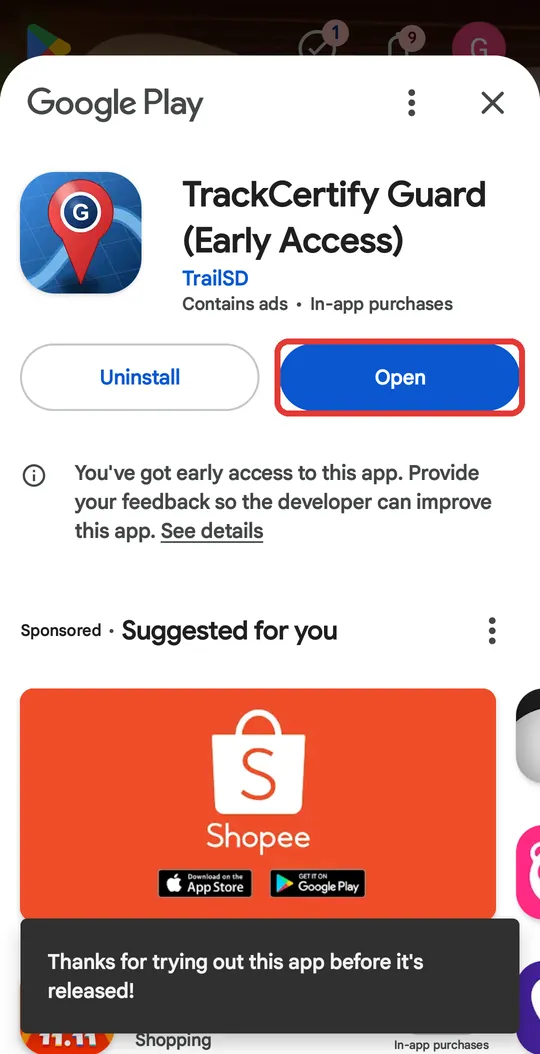
![Play Store with the Open button highlighted]()
Tap «Open»
When it's done installing, tap Open. From now on you'll also find it among your apps as TrackCertify Guard.
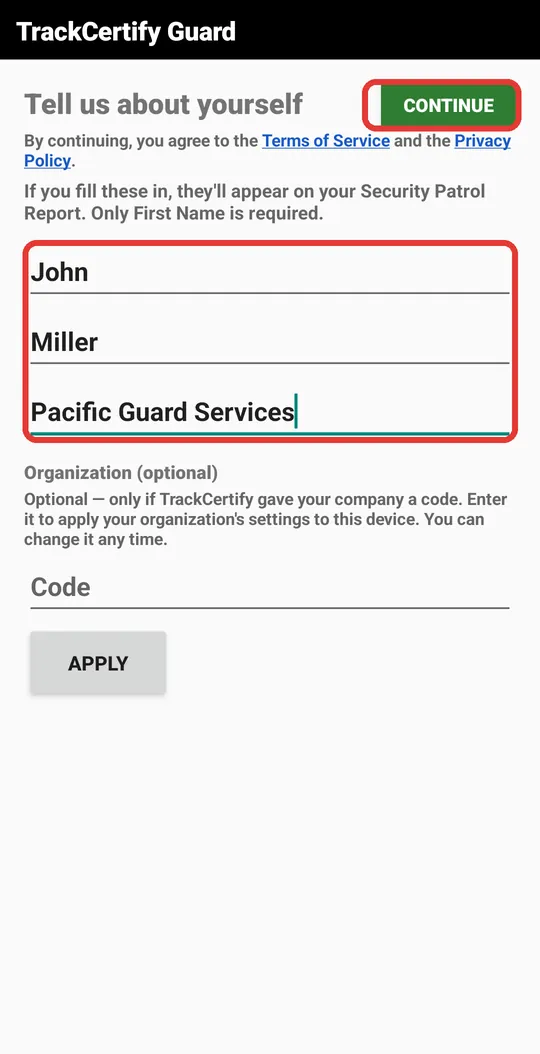
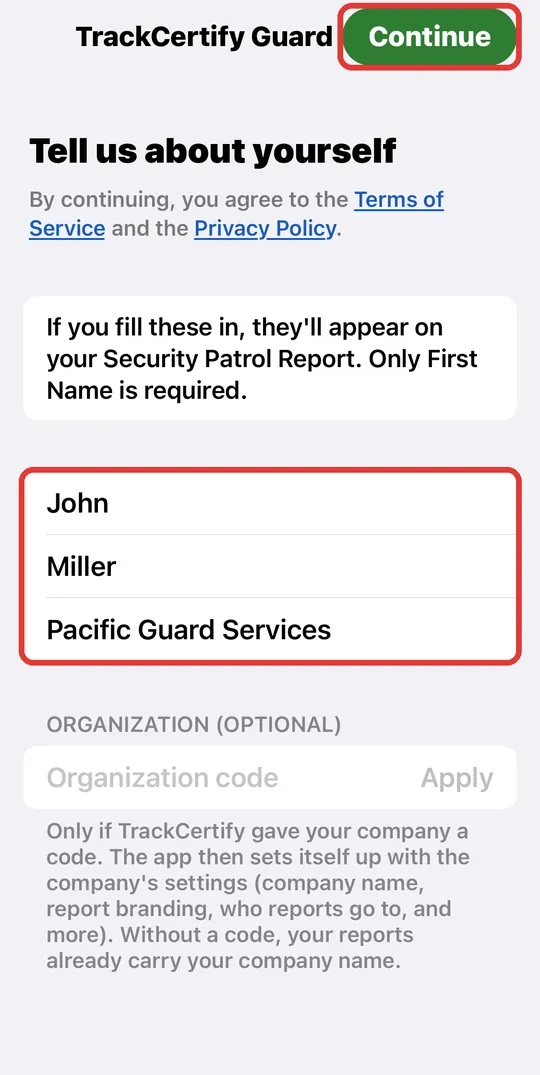
![Tell us about yourself screen with sample data]()
Enter your name and company
Type your first name (required), your last name and your company name. The Code field is optional: leave it empty. Tap Continue.
ℹ️ John Miller and Pacific Guard Services are sample data. Type your real name and your company's: that's how they'll appear on your reports. You're only asked once.
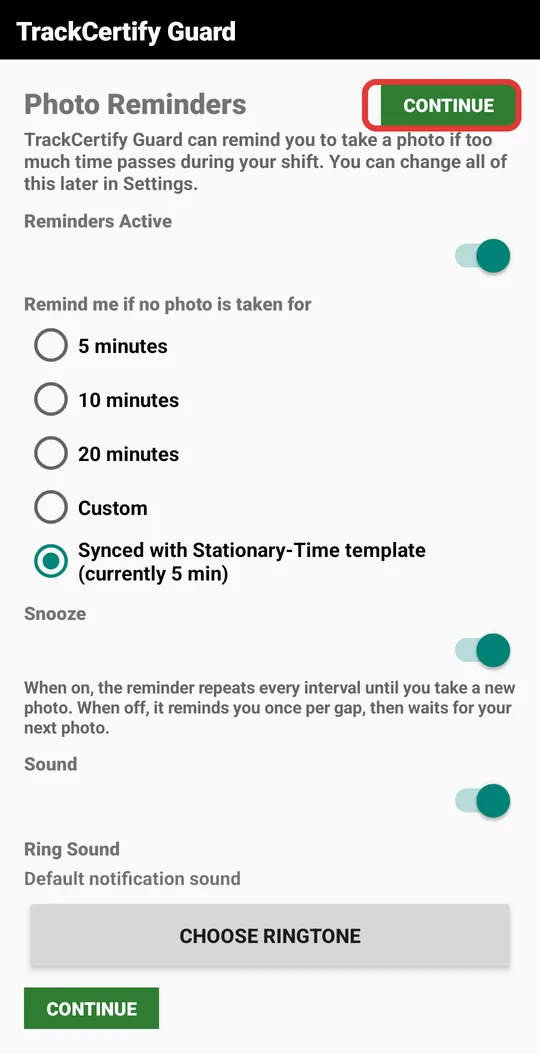
![Photo Reminders screen with Continue highlighted]()
Photo reminders
Guard can remind you to take a photo if too much time goes by without one during your shift. You can leave it as is and tap Continue; you can change it anytime in Settings.
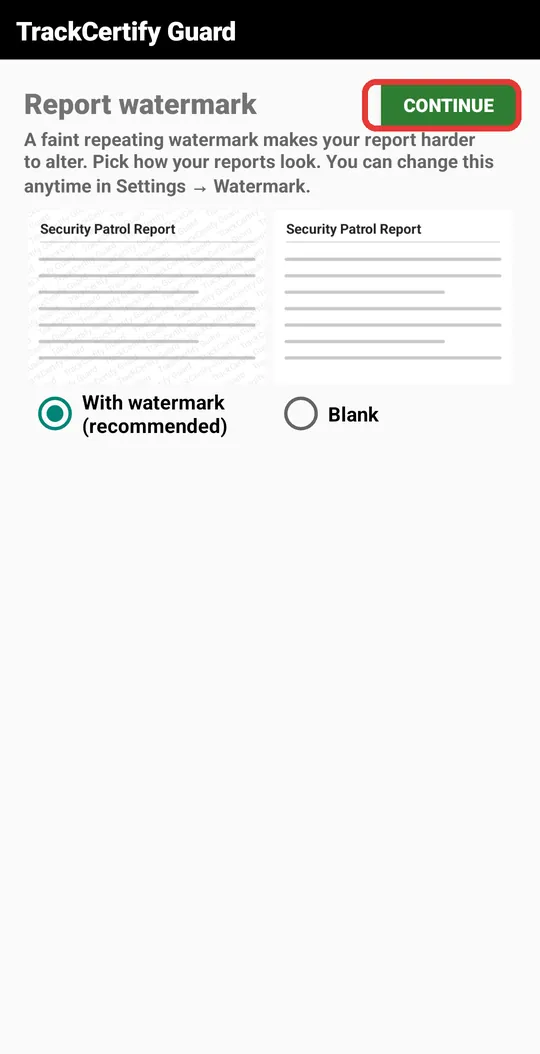
![Report watermark screen with Continue highlighted]()
Watermark
Leave With watermark (recommended) selected and tap Continue. The watermark makes your reports harder to alter.
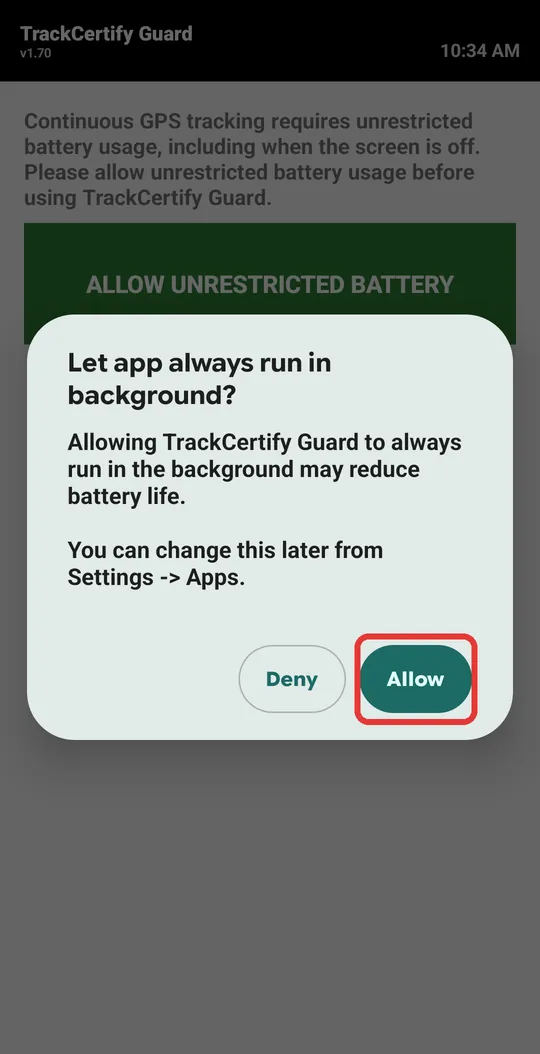
![Battery window with the Allow button highlighted]()
Battery permission
Tap Allow Unrestricted Battery, then Allow. This way your phone won't cut off GPS when the screen turns off during your shift.
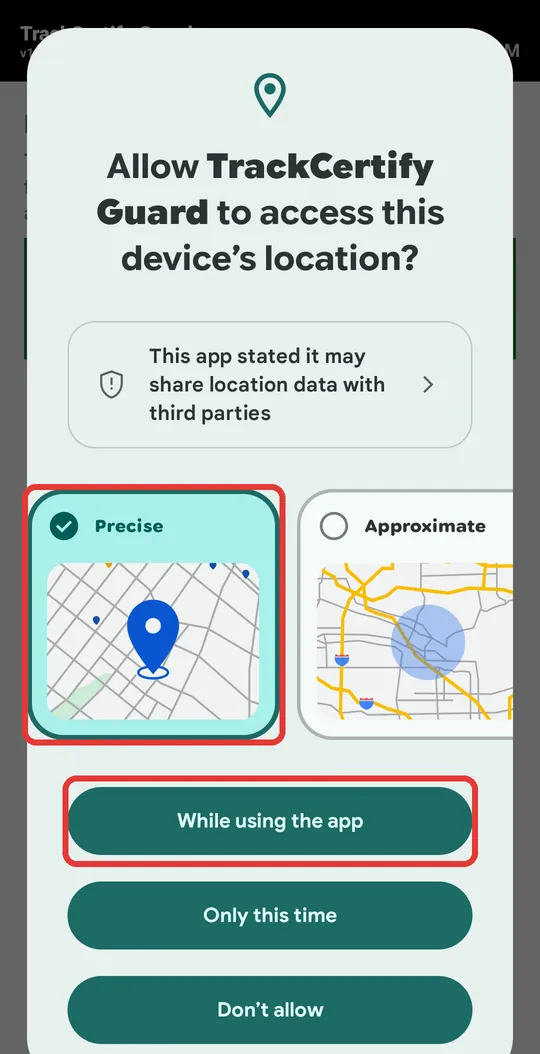
![Location window with Precise and While using the app highlighted]()
Location permission
Tap Allow Precise Location. In the window, keep Precise selected and tap While using the app.
Don't choose «Approximate» or «Only this time»: your shift route needs your exact location.
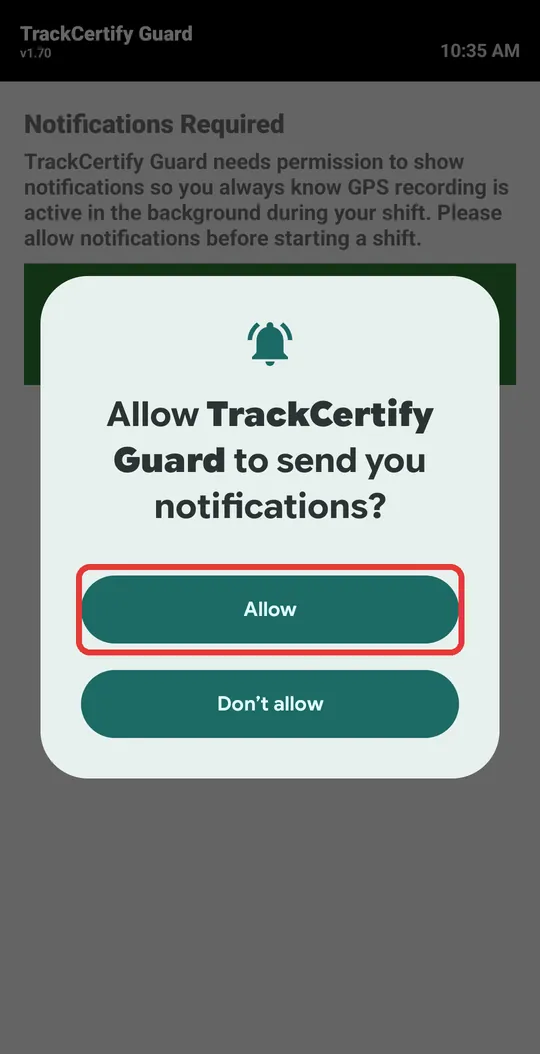
![Notifications window with Allow highlighted]()
Notifications permission
Tap Allow Notifications, then Allow. During your shift you'll see an ongoing notification confirming GPS is recording.
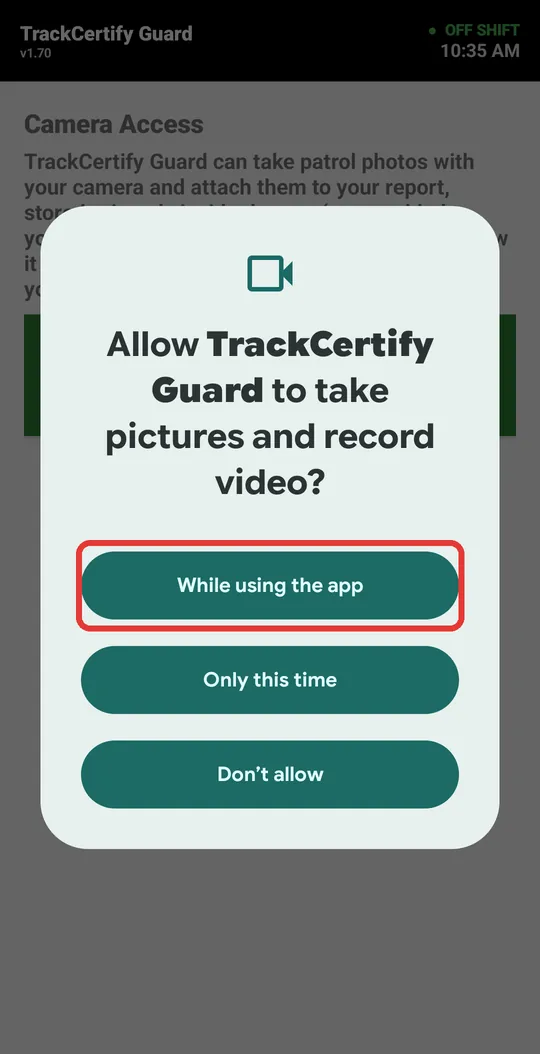
![Camera window with While using the app highlighted]()
Camera permission
Tap Allow Camera, then While using the app.
📷 During your shift, Guard will remind you to take photos every so often. Each photo is saved on your report with date, time and location: it's the record that you were there. Photos are kept inside the app, not in your phone's gallery.
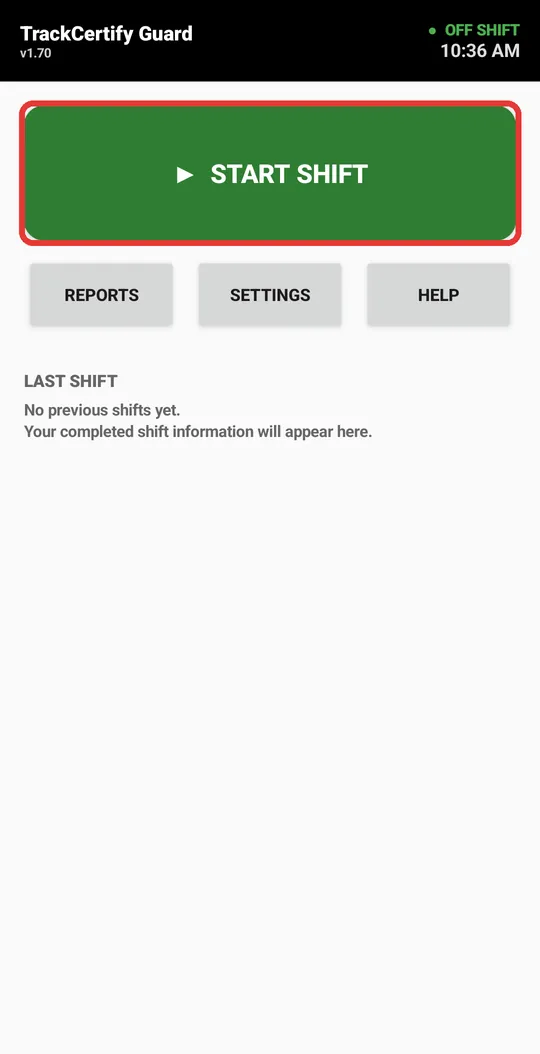
![Main screen with the Start shift button highlighted]()
Done! You're ready to work
The app is installed and set up. When you start your shift, tap Start shift. When you finish, Guard builds your PDF report with your route and photos.
Next: how to use Guard on your shift →Something didn't work? Check the FAQ or email us at support@trackcertify.com.
You can also swipe the picture with your finger.
Step-by-step guide · iPhone
![Tell us about yourself screen with sample details and the Continue button highlighted]()
Type your name and your company
Open TrackCertify Guard. Type your first name (required), your last name and your company name. The Organization code is optional: leave it empty. Tap Done to close the keyboard, then Continue at the top right.
ℹ️ John Miller and Pacific Guard Services are sample details. Type your real name and your company's: that's how they'll appear on your reports. You're only asked once.
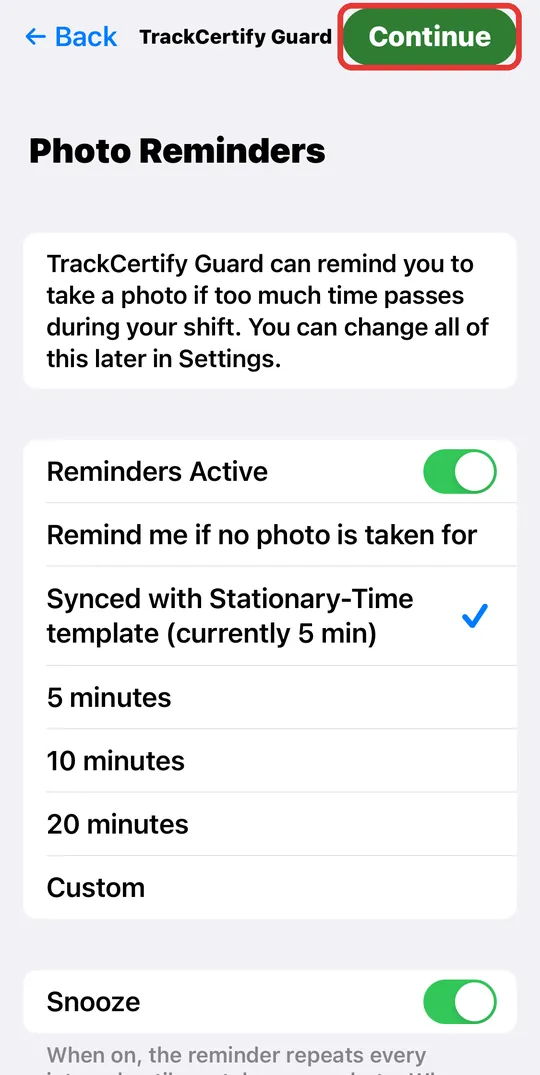
![Photo Reminders screen with Continue highlighted]()
Photo reminders
Guard can remind you to take a photo if too much time passes without one during your shift. You can leave it as is and tap Continue; you can change it anytime in Settings.
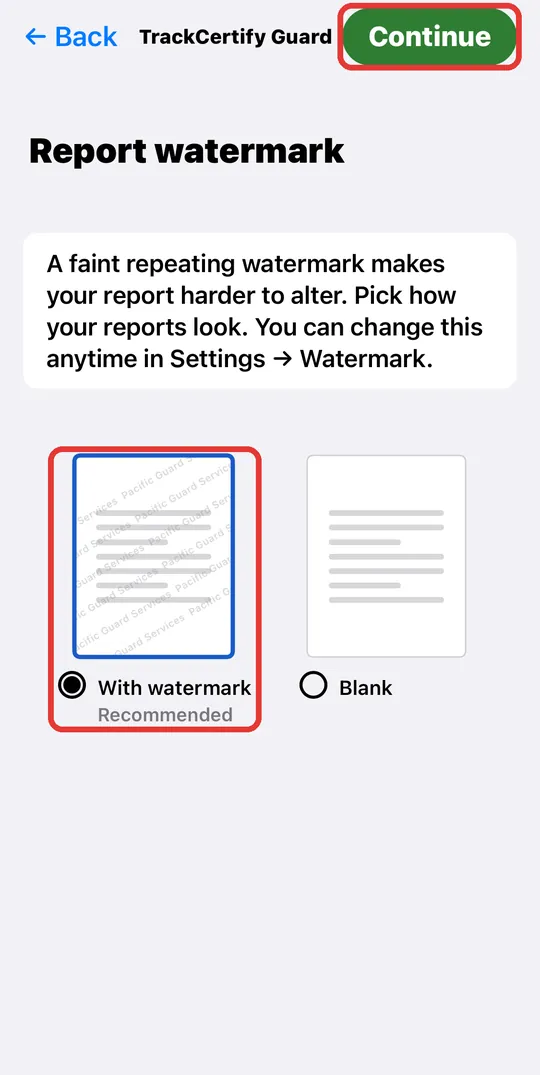
![Report watermark screen with the recommended option and Continue highlighted]()
Watermark
Leave With watermark (recommended) selected and tap Continue. The watermark carries your company name and makes your reports harder to alter.
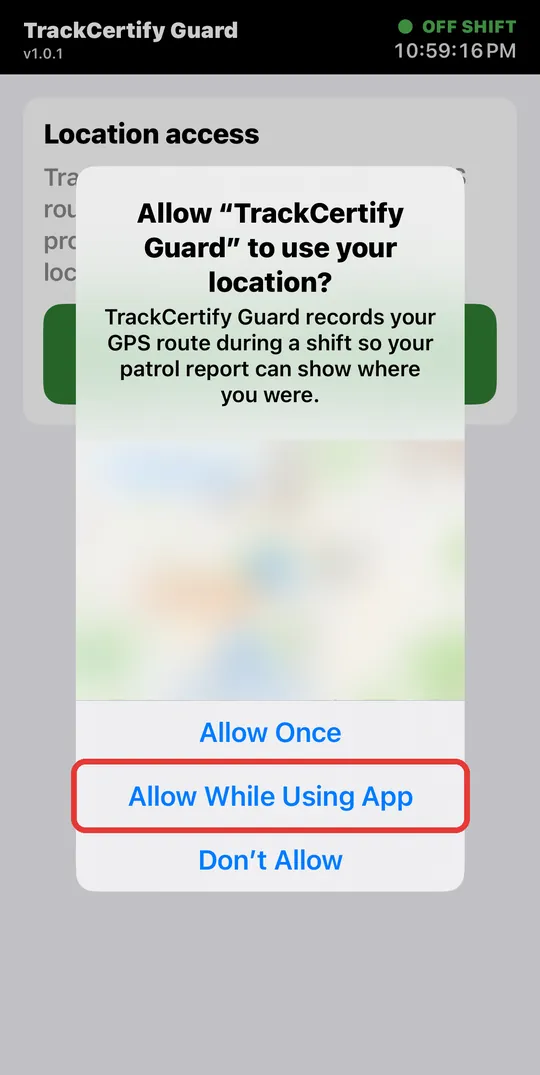
![iPhone location prompt with Allow While Using App highlighted]()
Location permission
Tap the green Allow location button. In the iPhone prompt, tap Allow While Using App.
Don't pick “Allow Once” or “Don't Allow”: without location, Guard can't record your shift route. If the map says “Precise: Off”, tap it to turn it on.
The iPhone doesn't offer “Always”, and that's normal: with “While Using App”, Guard keeps recording your route even when you lock the screen.
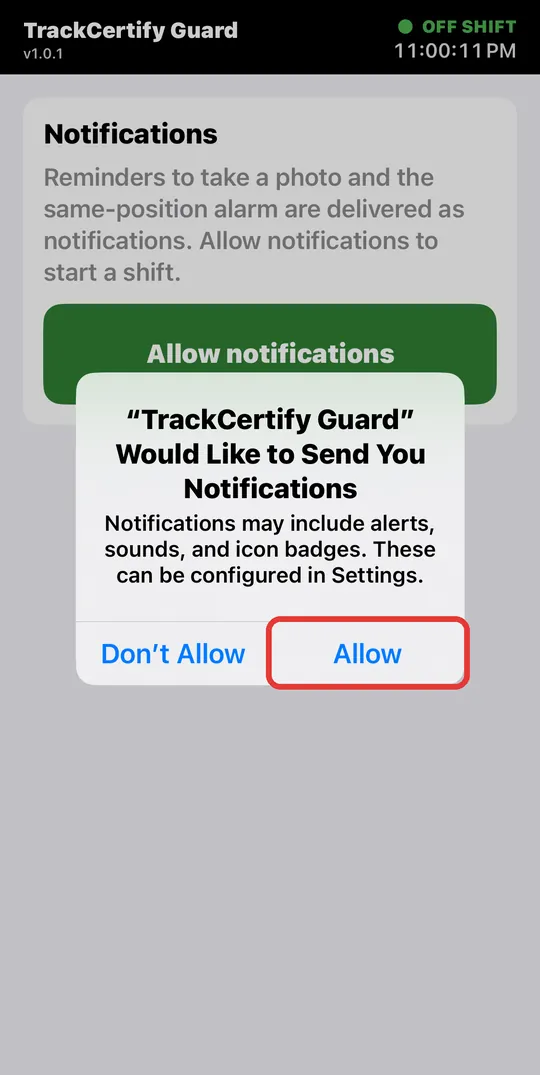
![Notifications prompt with Allow highlighted]()
Notifications permission
Tap Allow notifications, then Allow. That's how photo reminders and the same-position alarm reach you.
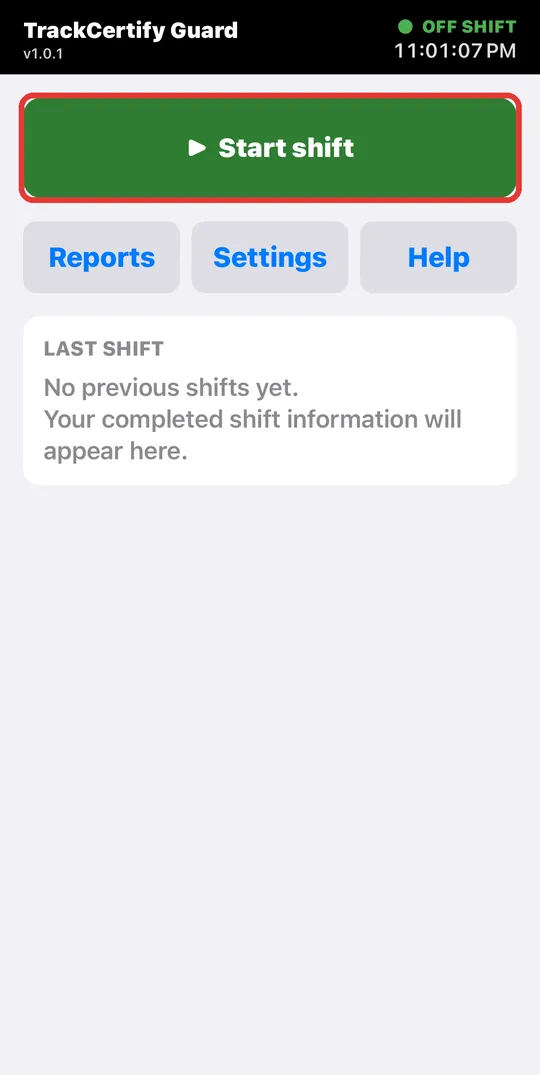
![Main screen with the Start shift button highlighted]()
Do a test shift
The app is set up. Now do a 1-minute test shift to see how it works: tap Start shift. In the next steps you take a photo and end the shift.
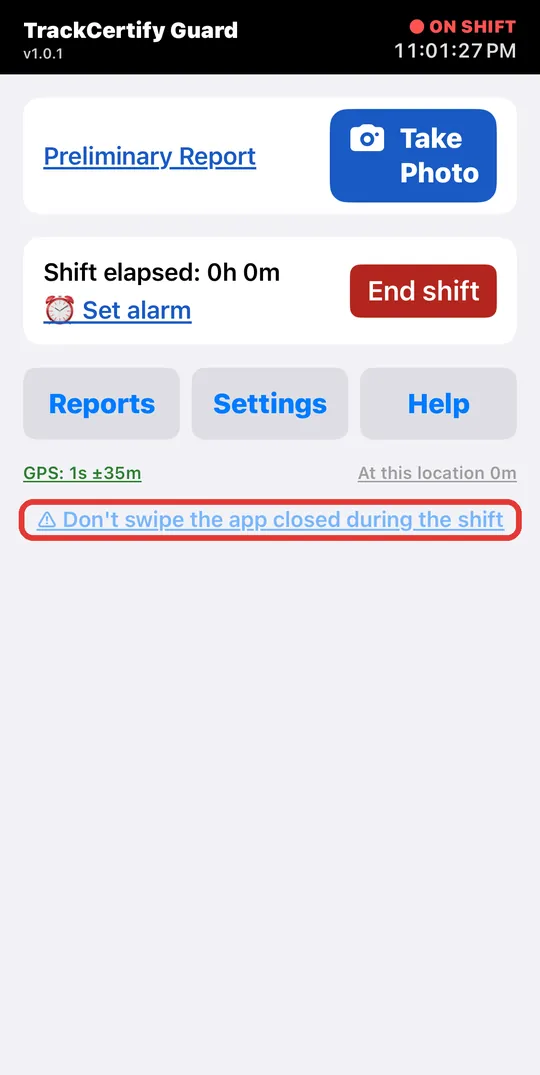
![Shift screen with the Don't swipe the app closed warning highlighted]()
During the shift: don't close the app
While your shift is running you can lock the screen or use other apps: Guard keeps recording.
⚠️ Don't close Guard by swiping it up in the app switcher: if you close it that way, the iPhone stops GPS and your route ends up incomplete.
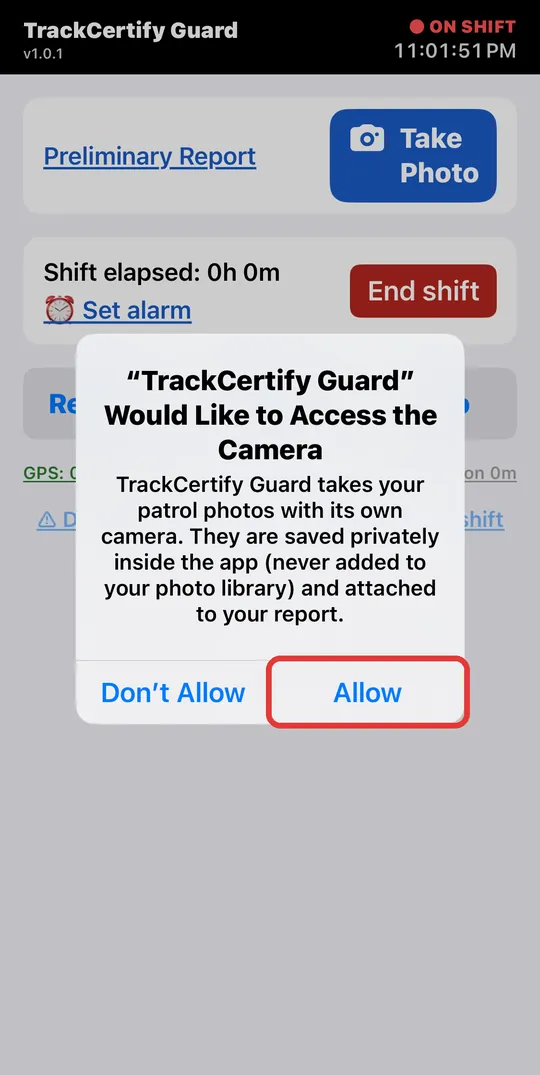
![Camera permission prompt with Allow highlighted]()
Camera permission
The first time you tap Take Photo, the iPhone asks for camera access. Tap Allow.
📷 Photos are saved inside the app, not in your photo library. Each photo shows up in your report with date, time and place: it's the record that you were there.
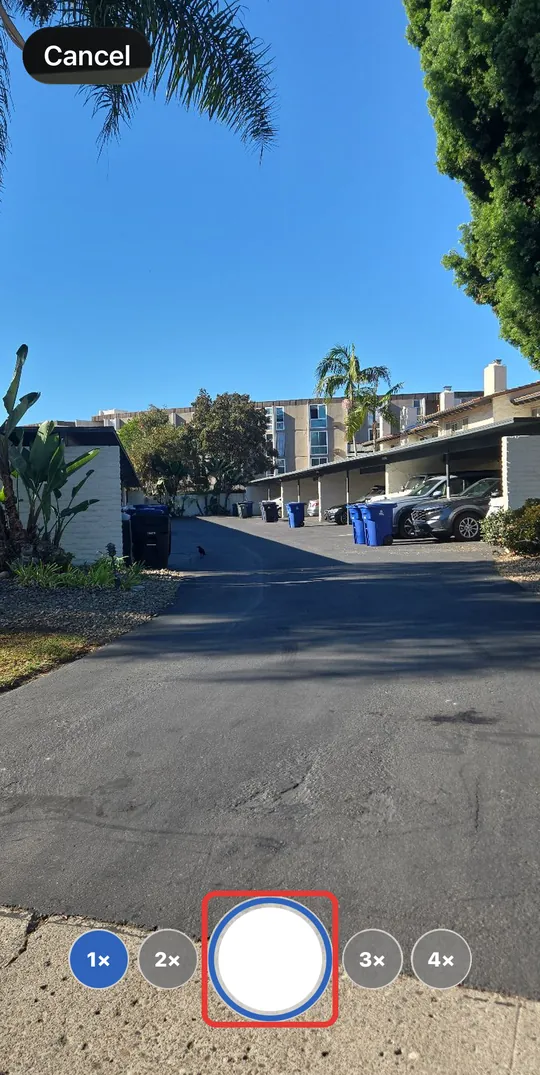
![Guard camera with the shutter button highlighted]()
Take your first photo
Aim and tap the round button. Use 1×–4× to zoom in; Cancel goes back without taking the photo.
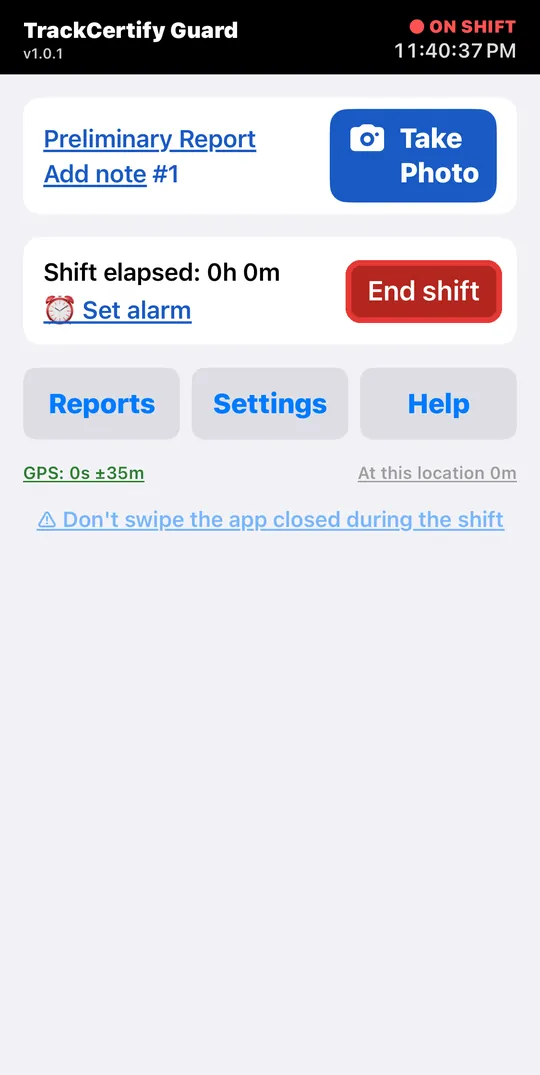
![Shift screen with the End shift button highlighted]()
End the test shift
The photo was recorded: Add note #1 now appears, so you can write something about that photo if you want. To finish the test, tap End shift.
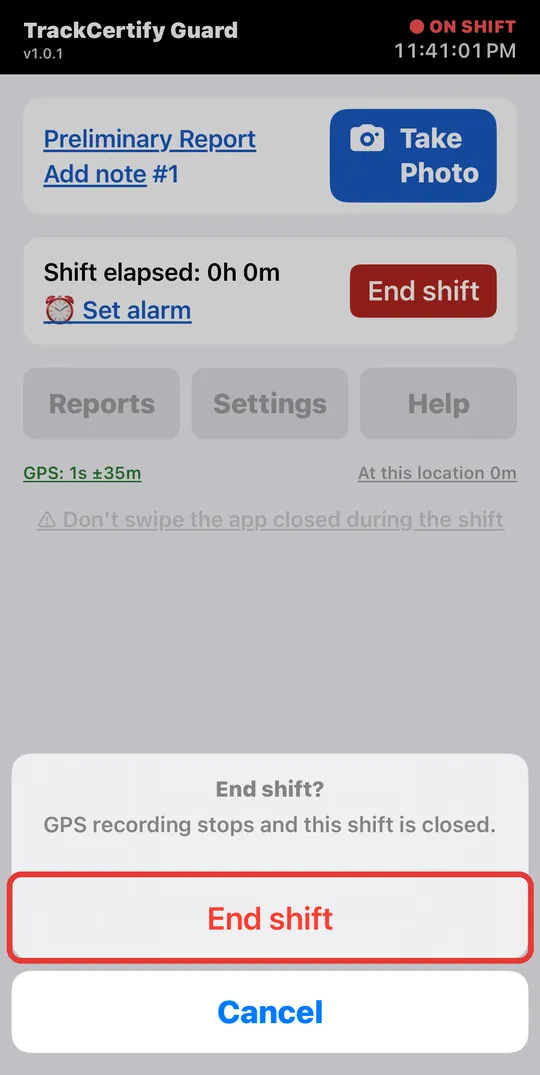
![End shift confirmation with the red button highlighted]()
Confirm
The iPhone asks whether you want to end the shift. Tap End shift (in red). GPS stops recording and Guard builds your report.
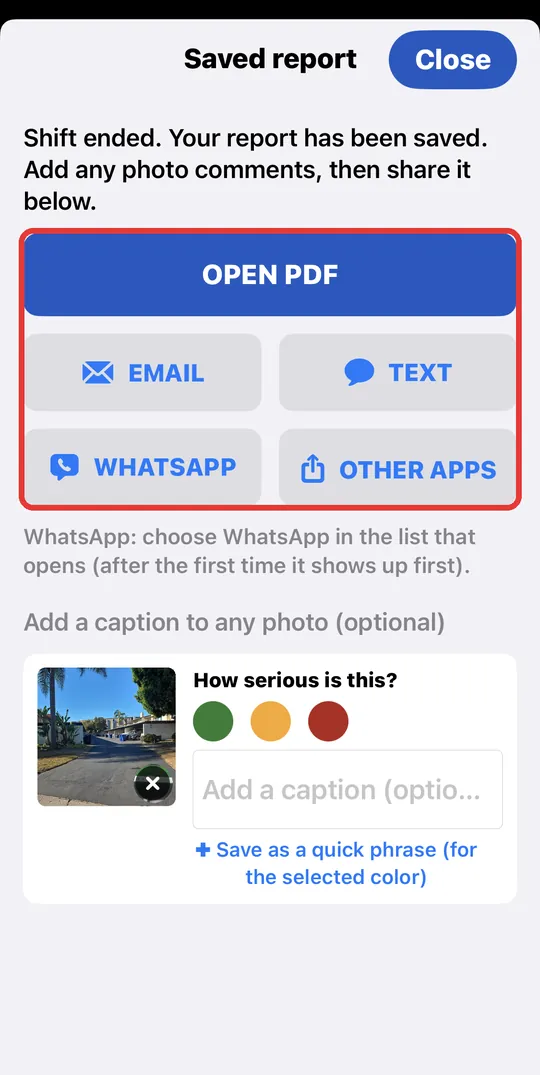
![Saved report screen with Open PDF and the share buttons highlighted]()
Your report is ready
On Saved report, tap OPEN PDF to see the report with your route and photo, or send it by Email, Text, WhatsApp or another app. You can also add a caption to the photo. When you're done, tap Close.
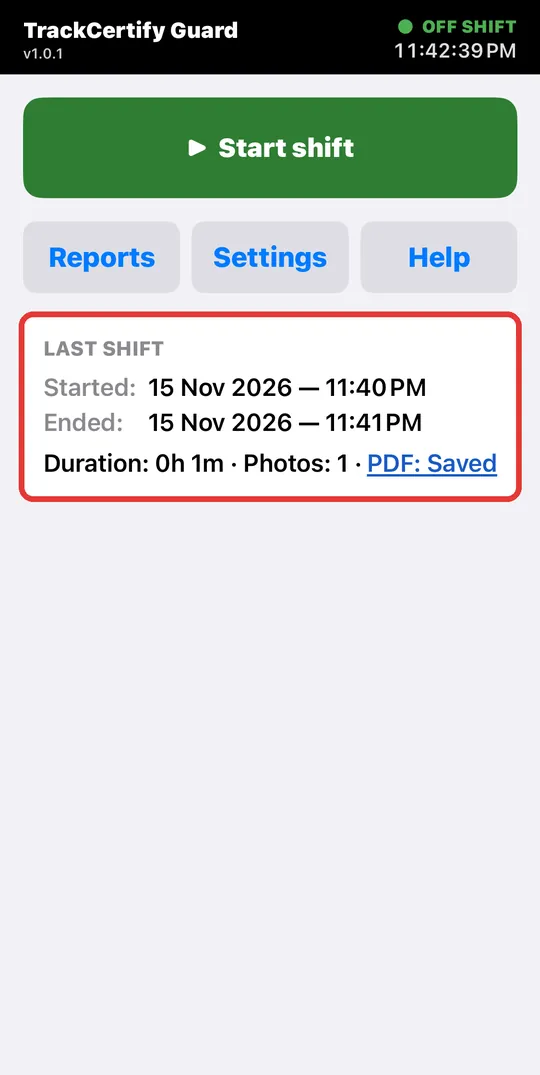
![Main screen with the Last shift card highlighted]()
Done! You're ready to work
On the main screen, LAST SHIFT shows a summary of the test. Your real shift works the same way: Start shift, photos during your rounds, and End shift at the end. Your reports are kept in Reports.
Next: how to use Guard on your shift →The pictures in that guide are from Android, but the buttons on iPhone are nearly the same. Something didn't work? Check the FAQ or email us at support@trackcertify.com.
You can also swipe the picture with your finger.
After installing
Open the app, type your name and your company's name — your reports come out branded with your company automatically. Stuck? Check the FAQ or email support@trackcertify.com.